
Here you'll find answers to some commonly asked questions about our new integration with Kobo.
TABLE OF CONTENTS
- What does this integration actually do?
- How does the reading progress get updated?
- How do I connect my StoryGraph account to my Kobo account?
- Do I need StoryGraph Plus or Kobo Plus?
- What data is being shared?
- Does the integration work with books I've side-loaded onto my Kobo?
- What if the book I'm reading on Kobo isn't in StoryGraph's database yet?
- Will my past reading history on Kobo import automatically?
- I'm not happy with the edition I've been matched with. What can I do?
- Why is the percentage displayed on my Kobo different to the percentage on StoryGraph?
- What about books I DNF?
- What about my paused books?
- Can I still switch editions on StoryGraph?
- Can I disconnect at any time?
- Is this available globally?
- I reopened a book on my Kobo briefly and now it's marked as 'currently reading' again on StoryGraph. What do I do?
What does this integration actually do?
When you connect your Kobo and StoryGraph accounts, your reading progress — how far you’ve read, when you read, and when you finish a book — automatically syncs from Kobo to your StoryGraph profile. You don’t need to log anything manually.
How does the reading progress get updated?
When you link your accounts, Kobo will automatically sync your reading percentage to StoryGraph. You don't need to worry about the format, as we will take that percentage and automatically adapt it to the page count or audio minutes recorded for that specific book.
How do I connect my StoryGraph account to my Kobo account?
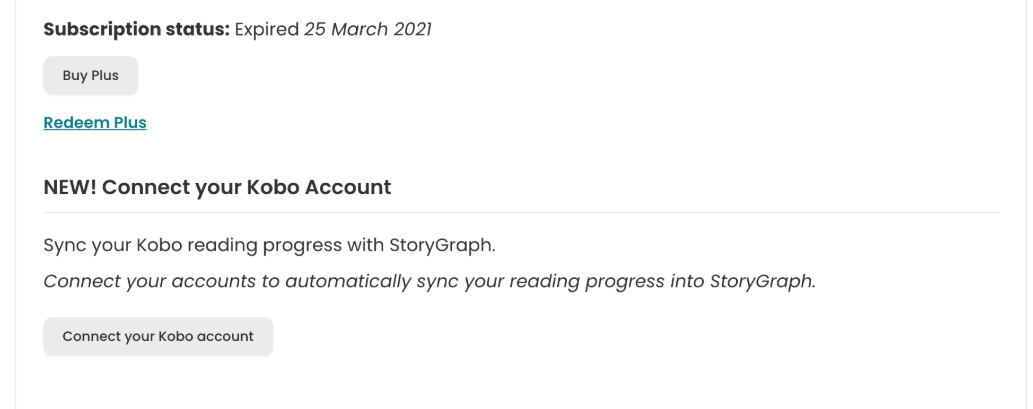
Go to Kobo’s Integrations page where you'll be led through a quick, secure authorisation flow that takes about 30 seconds. Alternatively, from the StoryGraph app or website, go to the Manage Account page in the top right corner menu, then click 'Connect Your Kobo Account'. You'll be taken through the same process outlined above.
Do I need StoryGraph Plus or Kobo Plus?
The sync integration is completely free and available to all StoryGraph users and all Kobo account holders at no additional cost.
What data is being shared?
The sync is one-way, so only the books you’re reading, your current progress (percent complete), reading session timestamps, and when you finish a book gets sent to us from Kobo. We cannot see any financial information, device identifiers, location data, or browsing history from Kobo.
Nothing gets sent from your StoryGraph account to Kobo.
Does the integration work with books I've side-loaded onto my Kobo?
No, only books purchased on Kobo's store, read with a Kobo Plus subscription, or borrowed via OverDrive/Libby will sync to your StoryGraph.
What if the book I'm reading on Kobo isn't in StoryGraph's database yet?
We will attempt to match your Kobo books to books in our system using the information provided. If a match isn't found, we'll create a new book record based on the information sent to us via Kobo.
Will my past reading history on Kobo import automatically?
The first version of the integration focuses on your current reads. Please share your feedback and we can consider this for future versions.
I'm not happy with the edition I've been matched with. What can I do?
If you have an edition with the same title and author marked as 'currently reading' already, we will use that edition.
If not, we will first try to match you up with the exact ISBN you're reading on Kobo. If we can't find that, we then attempt a smart match using title, author, format, and language.
If you are not happy with the edition you've been matched with, you can switch to another edition on StoryGraph and your sync will continue unaffected.
Why is the percentage displayed on my Kobo different to the percentage on StoryGraph?
If you notice your percentages seem out of sync, check the Manage Account page on StoryGraph. You'll be able to see the last time your data was synced. If there appears to be a delay in the sync, double-check that your Kobo eReader / Kobo Books app is connected to the Internet.
If you are reading via the Kobo Books app (as opposed to a Kobo eReader) you may notice your percentages are out by 1% between Kobo and StoryGraph. The Kobo team are aware of this bug and hope to fix it soon.
What about books I DNF?
If you decide to DNF (did-not-finish) a book on Kobo by marking it as finished early, you'll need to manually change the status on StoryGraph to 'did not finish'. This decision was based on behaviour noted during testing, and we will be monitoring feedback around it.
What about my paused books?
If you decide to set aside a book on Kobo, you'll need to manually mark it as 'Paused' on StoryGraph. However, when you next open the book on Kobo, the book will be moved back to your currently-reading shelf on StoryGraph automatically, with the pause taken into account.
Can I still switch editions on StoryGraph?
Yes, if you're not happy with the edition we match you to, you can switch to another one. We will then continue the sync using the edition you've selected.
Can I disconnect at any time?
Absolutely. You can disconnect via the Manage Account page on StoryGraph or Kobo’s Integrations page. Disconnecting immediately stops all future syncs. Any data already shared with us at the time of disconnection is governed by our Privacy Policy.
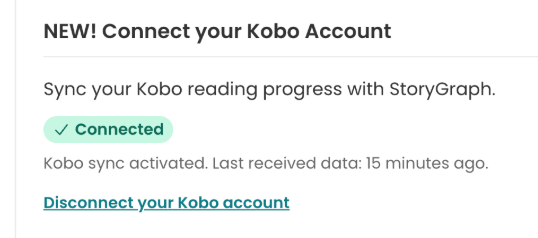
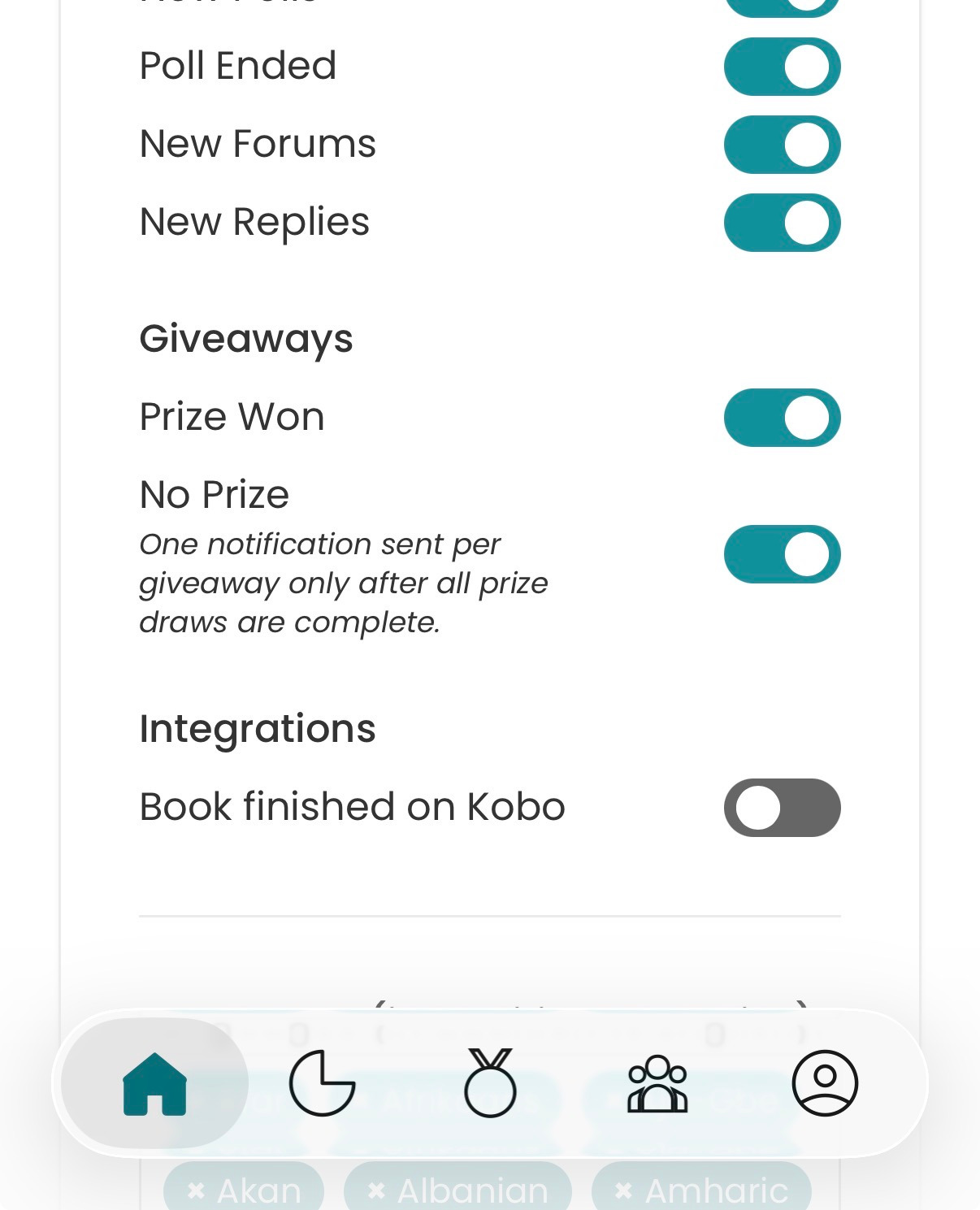
Be sure to click Update at the bottom of the page to save your changes.
Is this available globally?
Yes, anyone with a Kobo account can make use of this integration.
I reopened a book on my Kobo briefly and now it's marked as 'currently reading' again on StoryGraph. What do I do?
If the book is logged as 'currently reading' again on StoryGraph, mark the book as 'read' so that it's now logged as 'read' twice. Then on the book page, click 'View/Edit Read History'. You'll see two read instances listed like this:
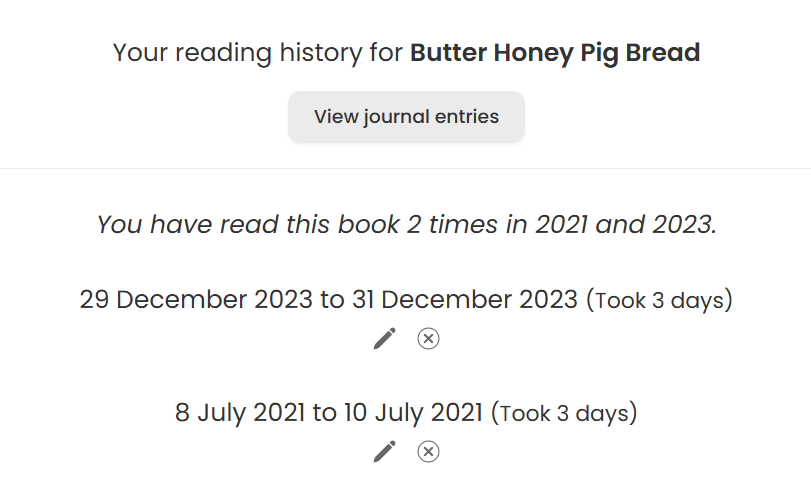
Click the x next to the extra read instance to delete the additional read. For more detailed instructions, you can read our FAQ about duplicates.